





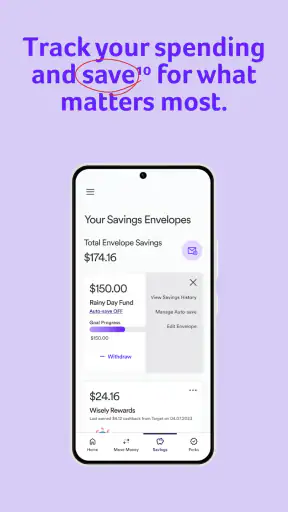
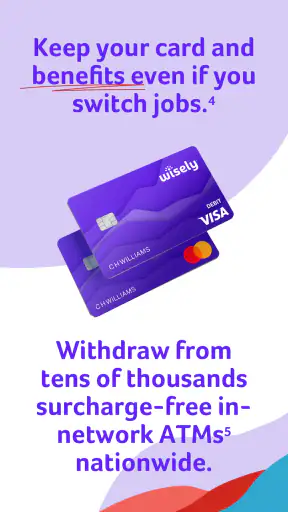
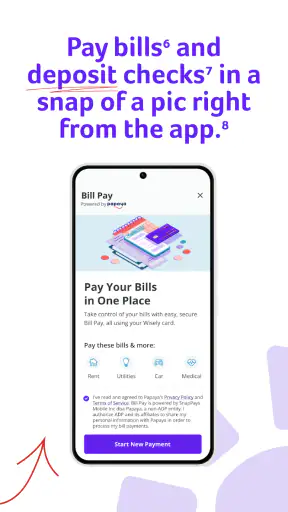

If you are looking for a simple way to keep an eye on money connected to your Wisely account, myWisely: Mobile Banking is designed to make that routine easier from a phone. I found its strongest appeal in the everyday moments: checking whether money has arrived, reviewing recent spending, and getting a quicker sense of what is available before making a purchase. It is a finance app from ADP, INC., offered free of charge and rated for Everyone.
The app’s store summary, “Get paid. Track spend. Save more,” gives a fair idea of its purpose, but it does not explain how it feels to use. In practice, I would describe it as a companion for people who want account information close at hand without relying on a desktop browser. It is not trying to replace every financial tool in your life. Instead, it focuses on the account activity and money-management tasks that matter most during a normal day.
What to expect before you start
myWisely has been available since April 30, 2019, and its current version is 26.6.0. The app has reached over 5 million installs, with an average rating of 4.3 from around 31 thousand ratings and about 12 thousand written reviews. Those figures suggest that it has become a familiar option for a sizeable group of users, although popularity alone does not guarantee that it will suit your particular financial routine.
The first thing to understand is that this is not a general-purpose budgeting app where you manually connect several banks, build elaborate categories, or plan a long-term investment strategy. Its value is more focused. If your financial life already involves Wisely, the app can put the relevant account view and spending information in a more convenient place. If you want a single dashboard for multiple unrelated bank accounts, a traditional banking app or a dedicated budgeting service may be a better fit.
I also think expectations matter because “mobile banking” can mean different things to different people. Some users want a complete bank replacement, while others only need a reliable way to check a balance and understand recent transactions. myWisely makes more sense for the second group, especially people who prefer quick checks over sitting down for a full monthly review.
The free price removes an obvious barrier to trying it. The Everyone content rating also makes it approachable for a broad audience, including someone who is helping a family member become more comfortable with mobile money tools. Still, financial apps deserve a little patience during setup. I would install it when I have access to the account details I normally use, rather than starting the process while rushing through a checkout line or commuting.
Who gets the most value from it
I see three particularly good matches. The first is someone who receives money through a Wisely account and wants a faster way to confirm activity. The second is a person who wants to review spending in small, regular sessions instead of waiting for a statement. The third is anyone who prefers a dedicated account app rather than opening a browser and navigating a larger financial website.
A realistic example would be checking the app after work before buying groceries. I would look at the available account information, scan the latest activity, and decide whether the planned purchase fits comfortably. That small habit is more useful than opening the app only when something goes wrong, because it turns the account view into a routine check rather than an emergency investigation.
On the other hand, I would not choose it as my main financial organizer if I needed detailed forecasting, household collaboration, investment tracking, or a broad view across several institutions. Those needs call for a more comprehensive service. The important trade-off is focus: the narrower experience can feel clearer, but it also means fewer reasons to abandon a full budgeting system if you already depend on one.
Getting from installation to a useful first result
Make the first setup deliberate
After installing myWisely, I would begin by confirming that I am using the official app associated with ADP, INC. Then I would follow the account access process carefully, using the same information associated with my Wisely account. I would avoid guessing if a detail is rejected; repeated attempts can turn a simple setup into an unnecessarily frustrating one.
My best practical advice is to keep the first session uncluttered. Have your phone available, allow yourself enough time to read each prompt, and do not treat registration as something to complete while distracted. A finance app is not the place to rush through screens simply because the buttons look familiar. The goal is not merely to reach the home screen; it is to arrive there knowing which account information you are viewing.
Once access is established, I would pause and identify the main areas of the interface before tapping around. Look for the balance or account overview, recent activity, and any money-management area that is relevant to your account. This short orientation prevents a common beginner mistake: assuming that a number on the first screen answers every question about available money, pending activity, or recent spending.
I also recommend making your first visit a learning session rather than a test of speed. Notice how the app labels transactions and how far back the activity view lets you look. You do not need to memorize the layout, but understanding where information lives will make later checks much quicker. In my experience, the best mobile banking apps become useful when the user develops a repeatable path through them.
Your first meaningful success should be simple
The first successful action I would choose is reviewing recent account activity and matching one or two entries with purchases I recognize. This is more valuable than simply seeing that the app opens. It confirms that you can reach the information you care about and gives you an early chance to notice how transactions appear.
For example, after buying lunch, I might open the app later and compare the purchase with the activity shown there. If the entry is visible, I know the basic workflow: open the app, check the account view, move to recent activity, and verify what happened. That sequence becomes a dependable habit for checking spending without needing a long budgeting session.
A second useful first action is to review the account before a planned purchase rather than after it. I would check the available information, think about other recent transactions, and then decide whether to spend. This turns the app into a decision aid. It does not make the decision for me, but it reduces the chance that I am relying on an outdated memory of what is available.
There is also a subtle benefit to checking activity regularly: unfamiliar entries are easier to recognize when the list is short and recent. If I wait until the end of the month, several purchases may blend together. A quick review after important spending gives me a better chance of spotting something that needs attention while the details are still fresh.
Use it as a small routine, not a source of anxiety
I would suggest choosing one or two natural moments to open the app, such as after money arrives or before a larger weekly purchase. Constantly refreshing a financial app can create stress without improving decisions. A predictable routine is more sustainable and gives each check a purpose.
Another useful approach is to separate checking from judging. First, identify what happened. Then decide whether it fits your plan. This matters because a transaction list is descriptive, not a complete budget. The app can help me see activity, but I still need to interpret that information in the context of bills, cash needs, and upcoming commitments.
For someone new to mobile banking, this distinction is reassuring. You do not need to become a financial expert before using myWisely. Start with one reliable task: confirm activity, understand the account view, and make a more informed everyday choice. Once that feels comfortable, add another habit rather than trying to master everything in one sitting.
Where first-time users may hesitate
The most common confusion with any account app is the difference between seeing a transaction and understanding its final status. A recent purchase may not always feel as straightforward as a completed entry in a paper statement. I would read the labels and timing carefully instead of assuming that every displayed amount has the same meaning.
Another point of friction is expecting the app to explain a personal budget automatically. myWisely can be useful for tracking account activity, but seeing spending is not the same as receiving a complete spending plan. I would use the information as a foundation for my own decisions and, if necessary, keep a separate note for fixed bills or goals that are not represented in the account view.
Users may also wonder whether the app is suitable for several accounts or broader household finances. My answer is to test the exact workflow you need early. If your main question is “What is happening with my Wisely account?” the focused design is likely helpful. If your question is “How do all of my financial accounts fit together?” you may quickly find that a broader banking or budgeting alternative offers a clearer overall picture.
It is equally important not to confuse convenience with complete financial protection. I would use a strong device passcode, avoid signing in on a shared phone, and review activity rather than ignoring unexpected entries. These are sensible habits for any finance app, but they matter especially when account information is available from a device that travels everywhere with you.
How it compares with familiar alternatives
Compared with using a browser, a dedicated app can make routine checks feel less cumbersome. I do not have to start from a general website and search for the right account area each time. That convenience is most noticeable when I only have a few seconds to confirm whether money arrived or whether a recent purchase appears correctly.
Compared with a full bank app, myWisely is more specialized. A conventional bank application may provide a wider set of products and account-management tools, while myWisely is better judged by how efficiently it handles the Wisely-centered tasks it is meant to support. I would choose it for direct, repeated access to that account experience, not because I expect it to become a universal replacement for every financial service.
Compared with a budgeting app, its advantage is immediacy: I can focus on actual account activity instead of spending time configuring categories and goals. The disadvantage is that a dedicated budget tool may offer stronger planning, historical analysis, and multi-account organization. The right choice depends on whether my immediate problem is “I need to see what is happening” or “I need to design and maintain a complete financial plan.”
Small habits that make the app more useful
One non-obvious habit is to check activity after a meaningful change rather than only on a calendar schedule. If I receive money, make an unusually large purchase, or notice that my normal routine has changed, that is a good moment to review the account. Event-based checks are often more informative than opening the app randomly.
A second is to use the activity list as a memory aid. When I am unsure whether I already paid for something, I can search the recent entries mentally by date, merchant, or amount instead of relying on a vague recollection. This is especially useful for avoiding duplicate purchases or understanding why the available amount feels different from what I expected.
A third is to establish a “before and after” habit for larger everyday decisions. I would check the account before spending, make the purchase, and later confirm how it appears. This teaches me how quickly the app reflects my normal activity and helps me build realistic expectations about what I am seeing, without pretending that every financial update must behave identically.
Finally, I would keep the app’s role clearly defined. It is a practical window into my Wisely-related money activity, not a substitute for reading important account communications or maintaining a separate plan for bills. That boundary prevents disappointment and makes the app’s strengths easier to appreciate.
Who should skip it
I would skip myWisely if I do not use a Wisely account or if I need one place to manage several unrelated financial institutions. Installing an app that does not match my account setup would only add another login without solving a real problem.
I would also look elsewhere if my priority is detailed financial planning. Someone who wants custom categories, long-term projections, investment views, or a shared household budget may be happier with a dedicated budgeting platform or a broader banking application. Those tools can require more setup, but that extra complexity may be worthwhile for a more complete picture.
Likewise, users who dislike checking transactions on a phone may prefer a browser-based routine. myWisely’s convenience is its reason to exist, so it is not a compelling choice for someone who rarely uses mobile finance tools and already has a desktop workflow that feels comfortable.
My final take for a first-time user
I recommend myWisely as a focused starting point for someone who wants to become more comfortable checking account activity from a phone. The path to value is straightforward: install it, complete access carefully, identify the account overview, review a recent transaction, and repeat that check around a real spending decision. That first successful loop is more important than exploring every screen immediately.
Its free availability, Everyone rating, and established presence make it easy to consider, while the 4.3 average shows that many users find it useful. I would still keep expectations realistic. This is not the app I would pick for a complete household financial command center, and I would not treat a balance view as a replacement for personal planning.
For the right user, though, the focused approach is a strength. myWisely: Mobile Banking is most helpful when you want a quick, repeatable way to understand your Wisely account before money decisions. If that describes your need, I would start with one small routine today: open the app, review the latest activity, and use what you see to make your next purchase with a little more confidence.


